If you spend a significant amount of time typing articles, code, or emails at home, your choice of keyboard directly impacts both your wrist health and daily typing speed. Many remote workers suffer from repetitive strain injury (RSI) due to flat, stiff office keyboards.
In this guide, we will explore the key benefits of ergonomic mechanical keyboards and highlight top-rated budget-friendly models to improve your home workspace in 2026.
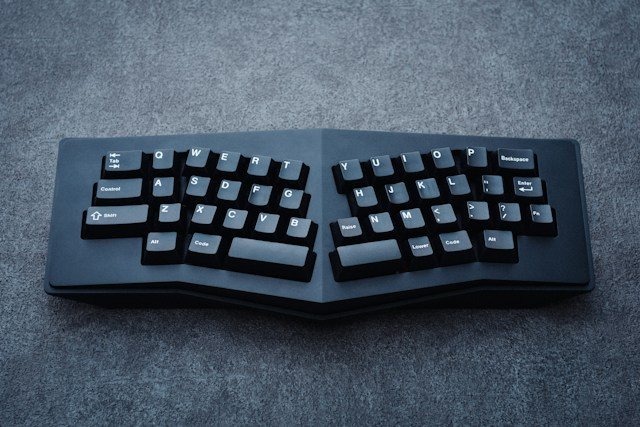
Why Upgrade to an Ergonomic Mechanical Keyboard?
Switching from a standard membrane keyboard to a high-quality mechanical option offers three major advantages:
• Wrist Pressure Relief: Split or contoured key layouts minimize unnatural pronation of your hands.
• Tactile Feedback & Typing Speed: Mechanical switches provide satisfying key travel, reducing accidental keystrokes.
• Long-Term Durability: Mechanical switches are rated for tens of millions of keypresses, outlasting traditional desk gear.
Recommended Budget Keyboards for Remote Workers
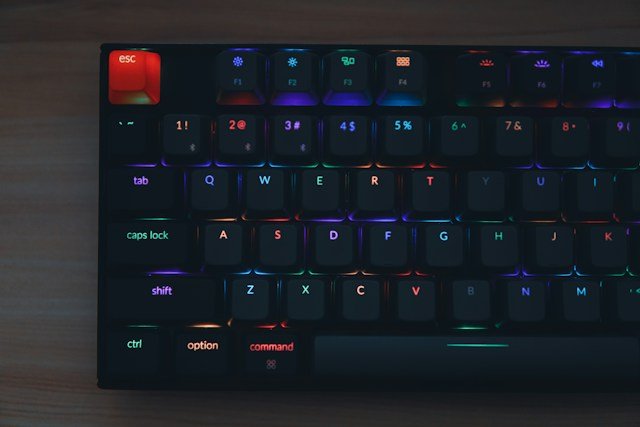
1. Keychron K2 V2 (Best Wireless Ergonomic Value)
The Keychron K2 V2 remains a favorite among remote professionals due to its compact 75% layout, tactile Gateron switches, and seamless Bluetooth pairing across multiple devices.
Key Specs: 75% Layout, Bluetooth / Type-C Wired, Mac/Windows layout toggle.
Pros: Compact size, hot-swappable switch options, excellent battery life.
Cons: Slightly high front height (wrist rest recommended).
2. Logitech K860 Ergo (Best Split Layout for Wrist Health)
If wrist pain is your primary concern, the Logitech Ergo K860 features a curved, split keyframe with an integrated palm rest that keeps your forearms in a neutral position.
Key Specs: Split ergonomic frame, cushioned wrist rest, PerfectStroke keys.
Pros: Unmatched wrist comfort, silent typing, multi-device Easy-Switch.
Cons: Takes up more desk space due to the built-in palm rest.
How to Maintain Healthy Typing Habits
Beyond upgrading your equipment, adopting proper posture ensures long-term comfort:
- Keep Forearms Parallel: Adjust your chair height so your elbows bend at a 90-degree angle.
2. Hover While Typing: Avoid resting the heels of your hands heavily on the desk while actively typing.
3. Take Regular Breaks: Follow the 50/10 rule—stretch your fingers and wrists for 5 minutes after every 50 minutes of typing.
Conclusion
Investing in an ergonomic mechanical keyboard is one of the most effective ways to prevent discomfort and elevate your daily work-from-home experience. Choose a model that fits your workspace size and switch preference to enjoy a healthier, more productive routine in 2026.